
How to Reset Your Income Tax Portal Password
Forgot your Income Tax e-Filing portal password? Here's exactly how to verify your identity and get back into your account — plus what to do when the usual steps don't work.
When Do You Need to Reset Your Password?
Resetting Your Password, Step by Step
This walks through the Aadhaar OTP method — the fastest route for most individual taxpayers, and the one shown in the official Income Tax Department manual. It requires your PAN to already be linked with Aadhaar.
Source: Income Tax Department — Reset Your Password User Manual
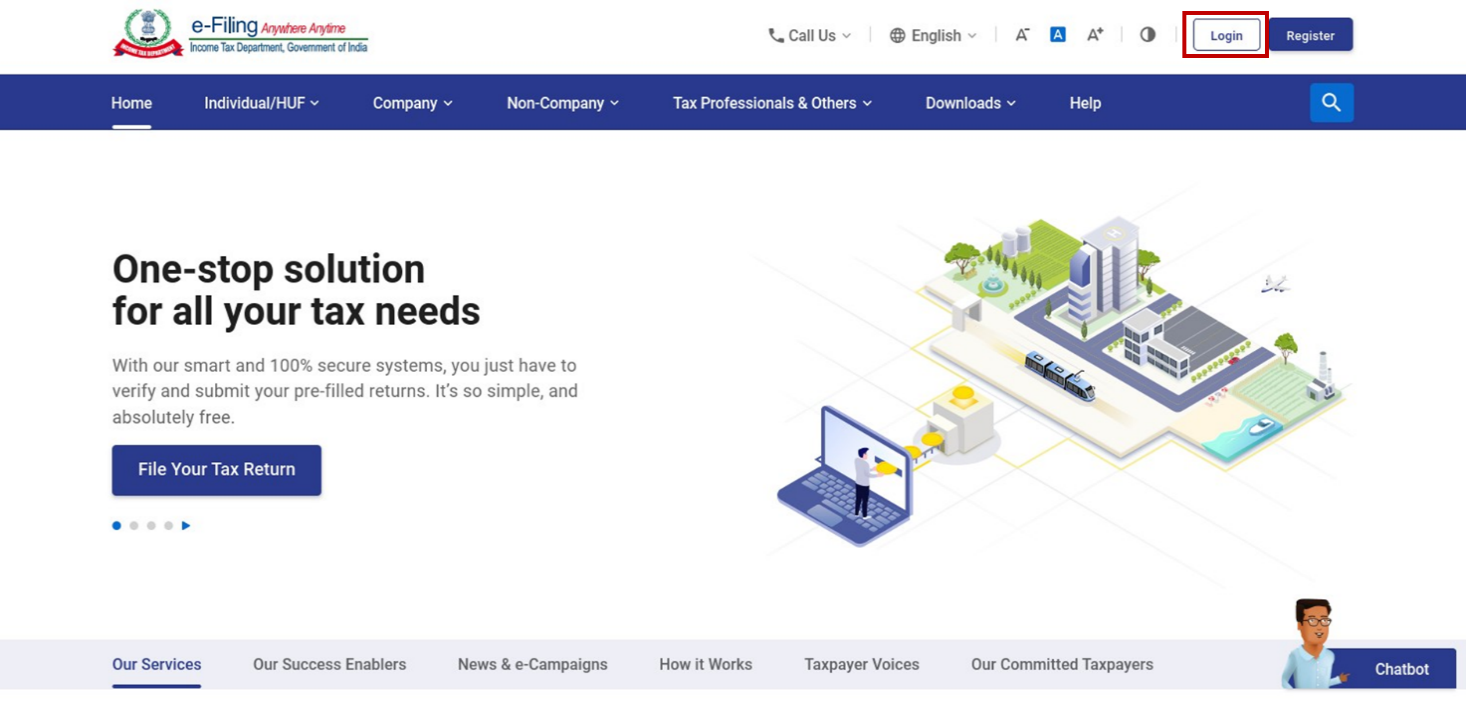
Go to the e-Filing Homepage and Click Login
Start from the official portal's homepage rather than a bookmarked or forwarded link.
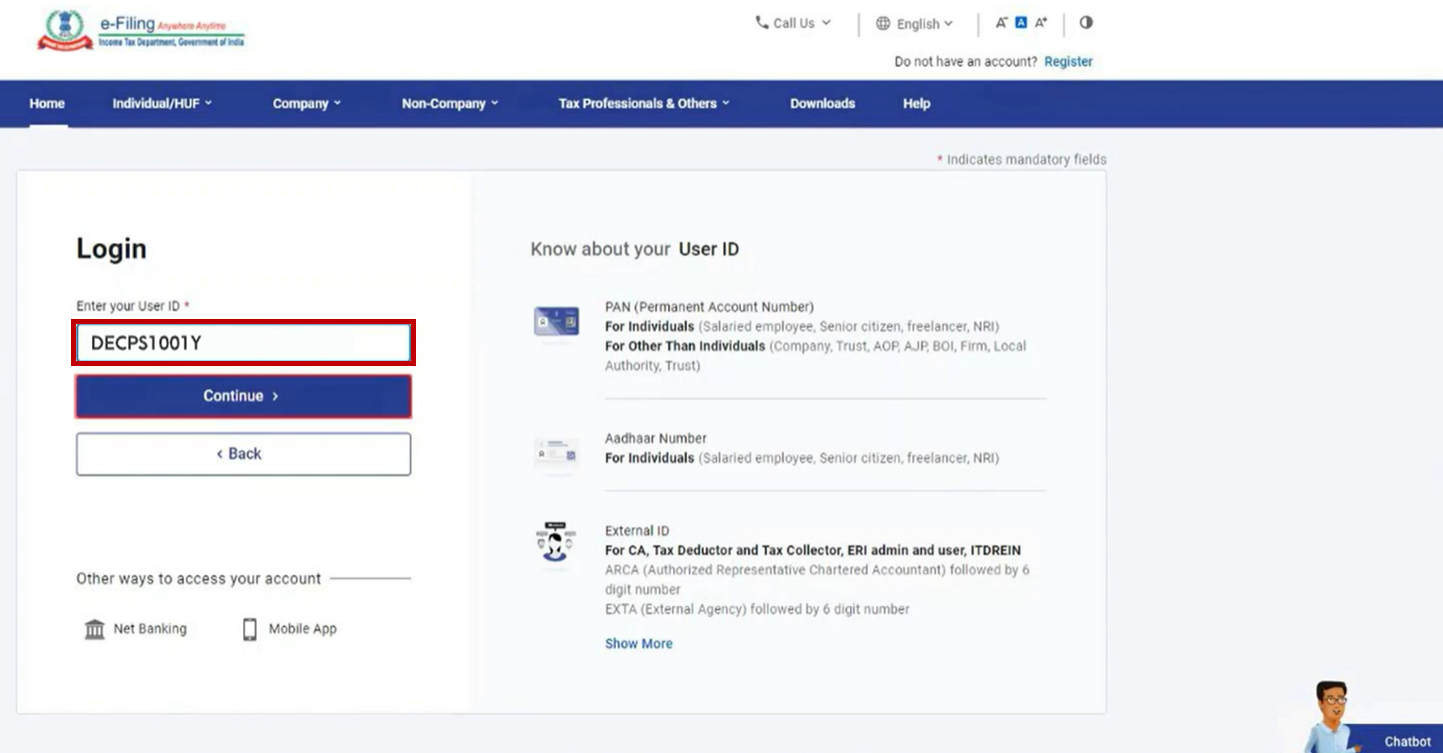
Enter Your User ID and Continue
For individual taxpayers, your User ID is your PAN (or Aadhaar, if the two are already linked on the portal).
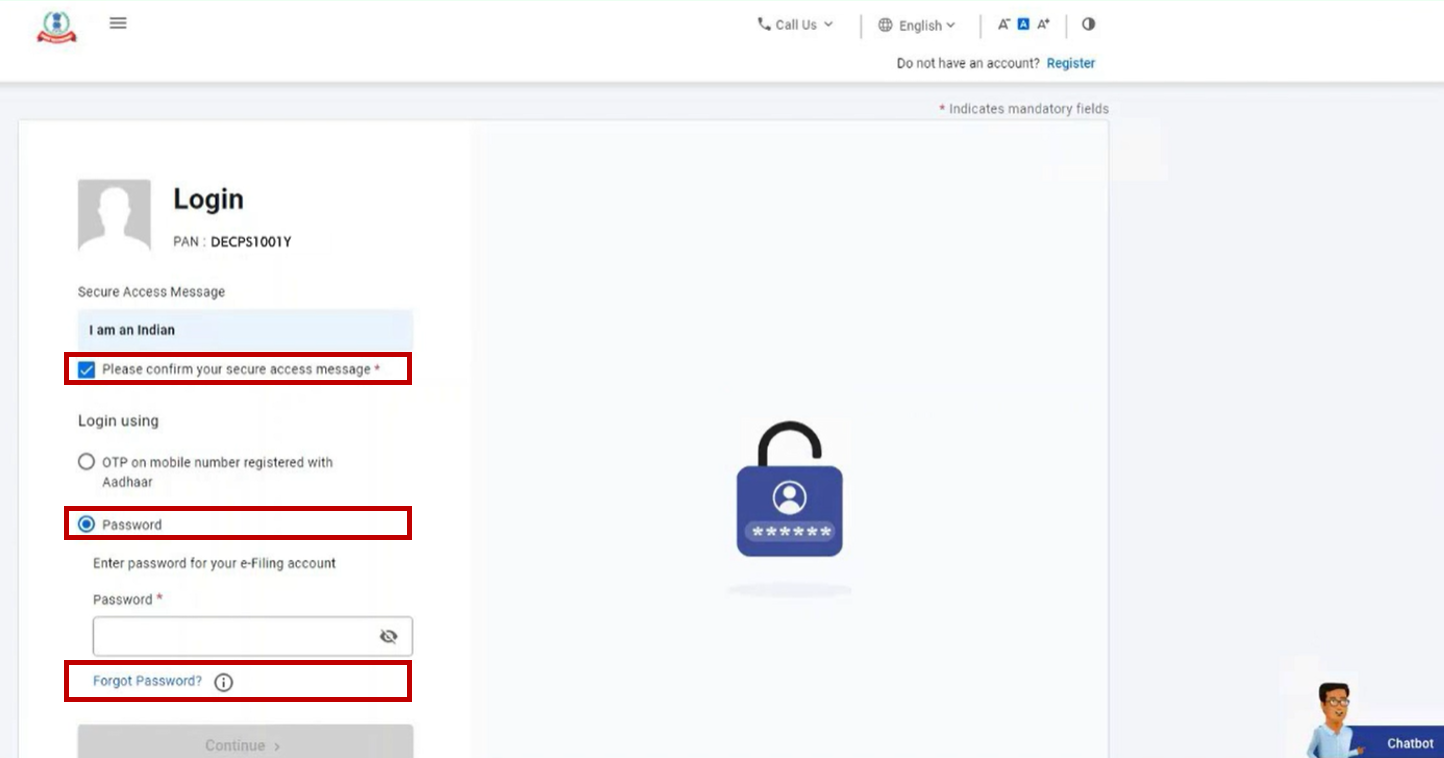
Click "Forgot Password"
On the login screen, confirm your Secure Access Message, stay on the Password option, and click the Forgot Password link.
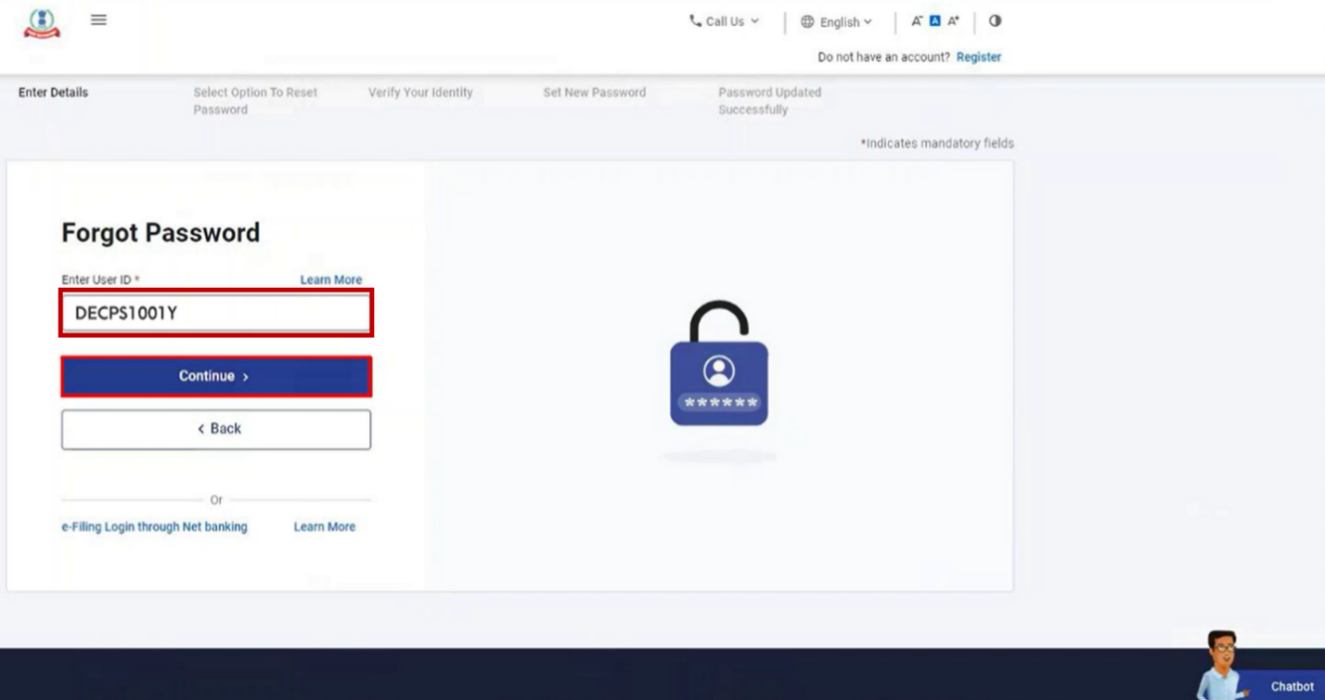
Enter Your User ID Again
On the Forgot Password page, re-enter your User ID and click Continue.
Choose How You'll Verify Your Identity
You'll be shown the reset options enabled for your account. Which ones appear depends on your e-Filing Vault security settings:
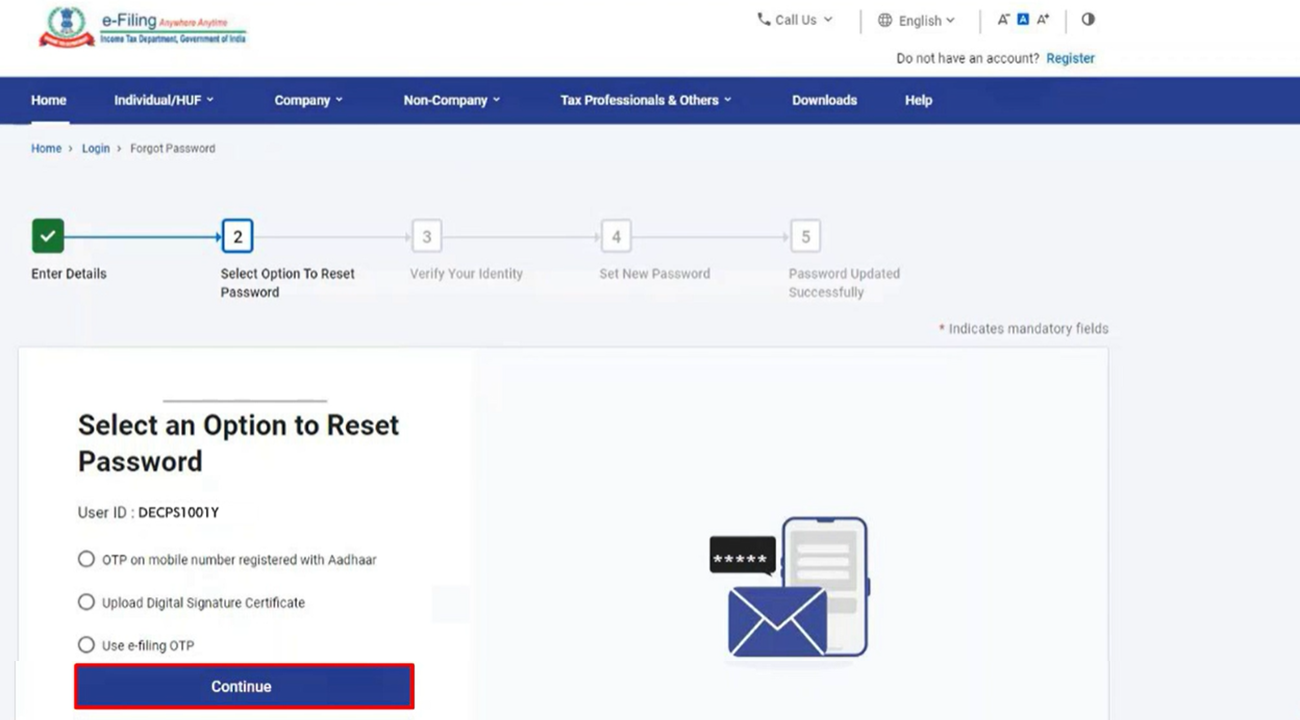
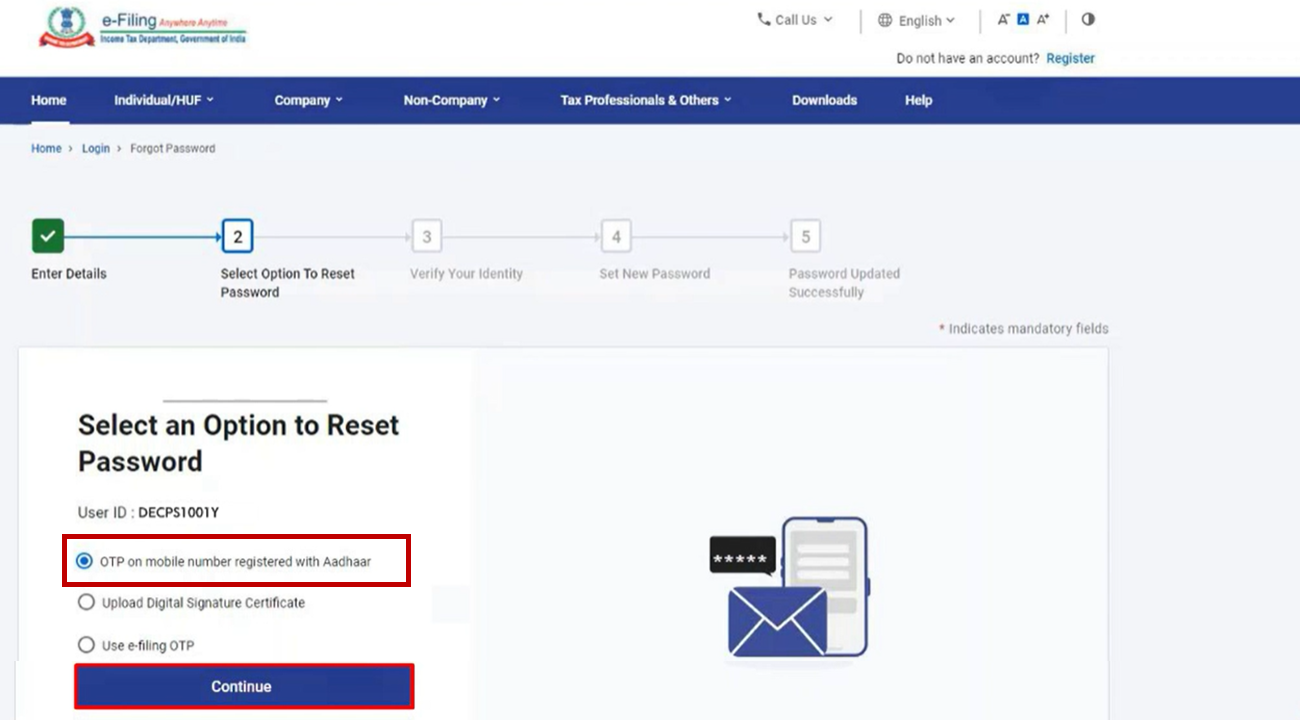
Select "OTP on Mobile Registered with Aadhaar"
Pick this option and click Continue — this only works if your PAN and Aadhaar are already linked.
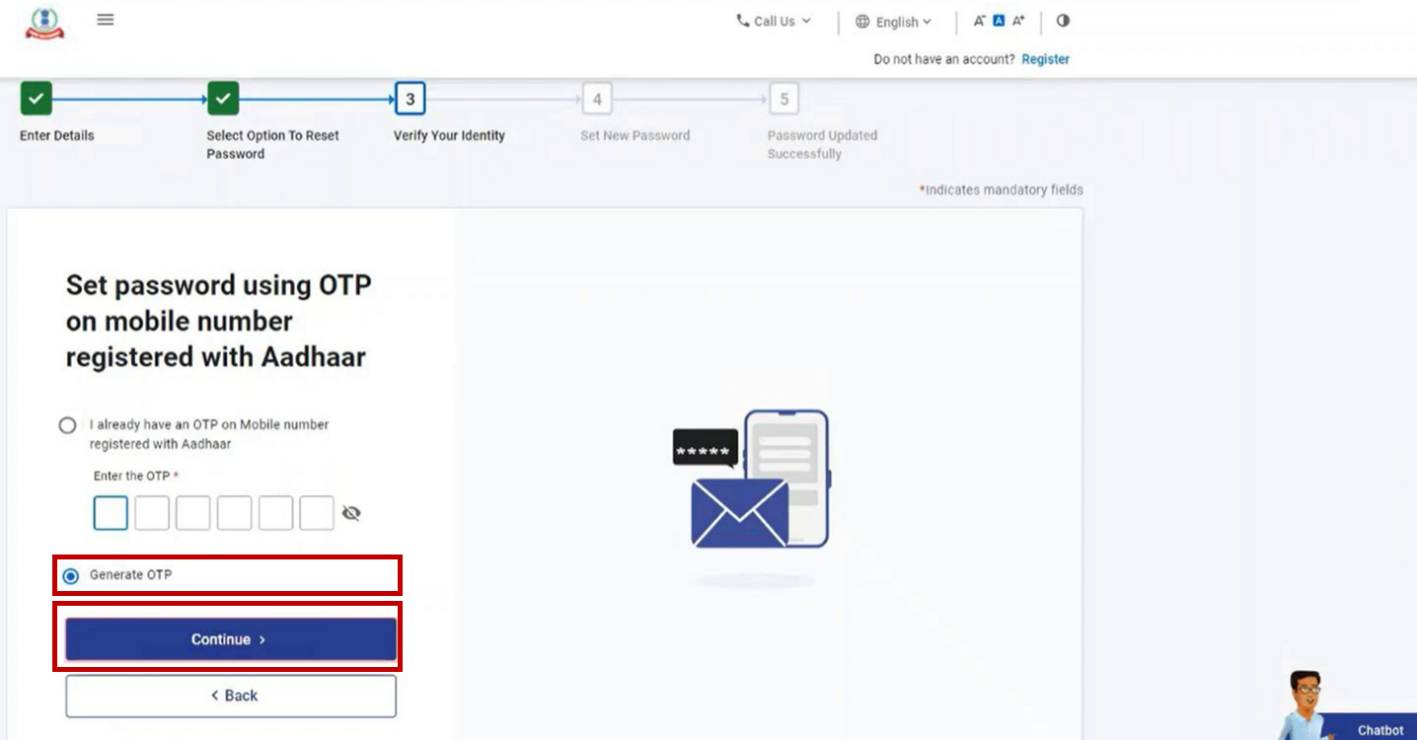
Generate Your OTP
Choose Generate OTP and click Continue. If you already have a valid OTP from a moment ago, you can enter that instead and skip ahead.
Accept the Declaration
Tick the declaration checkbox, then click Generate Aadhaar OTP.

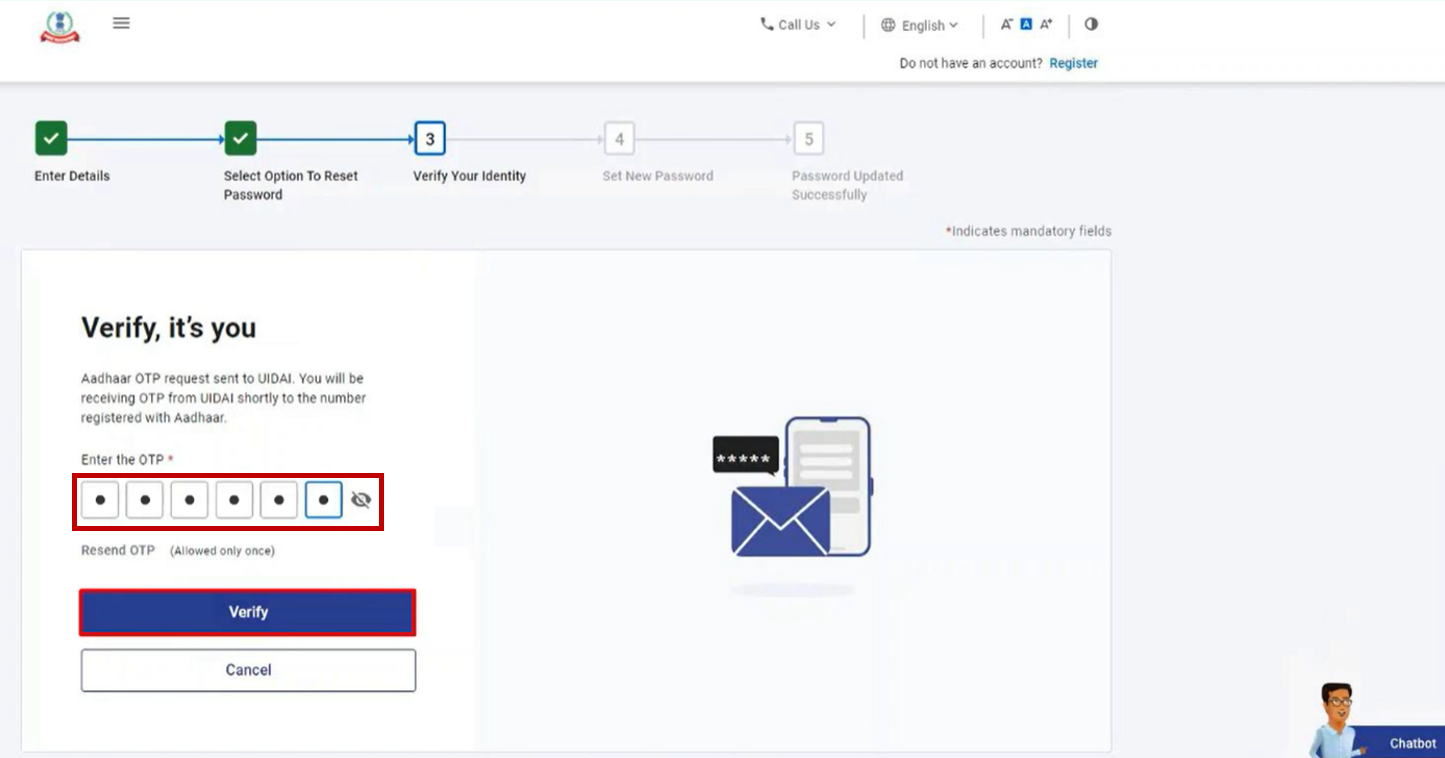
Enter the OTP and Verify
Type in the 6-digit code sent to your Aadhaar-linked mobile number and click Verify.
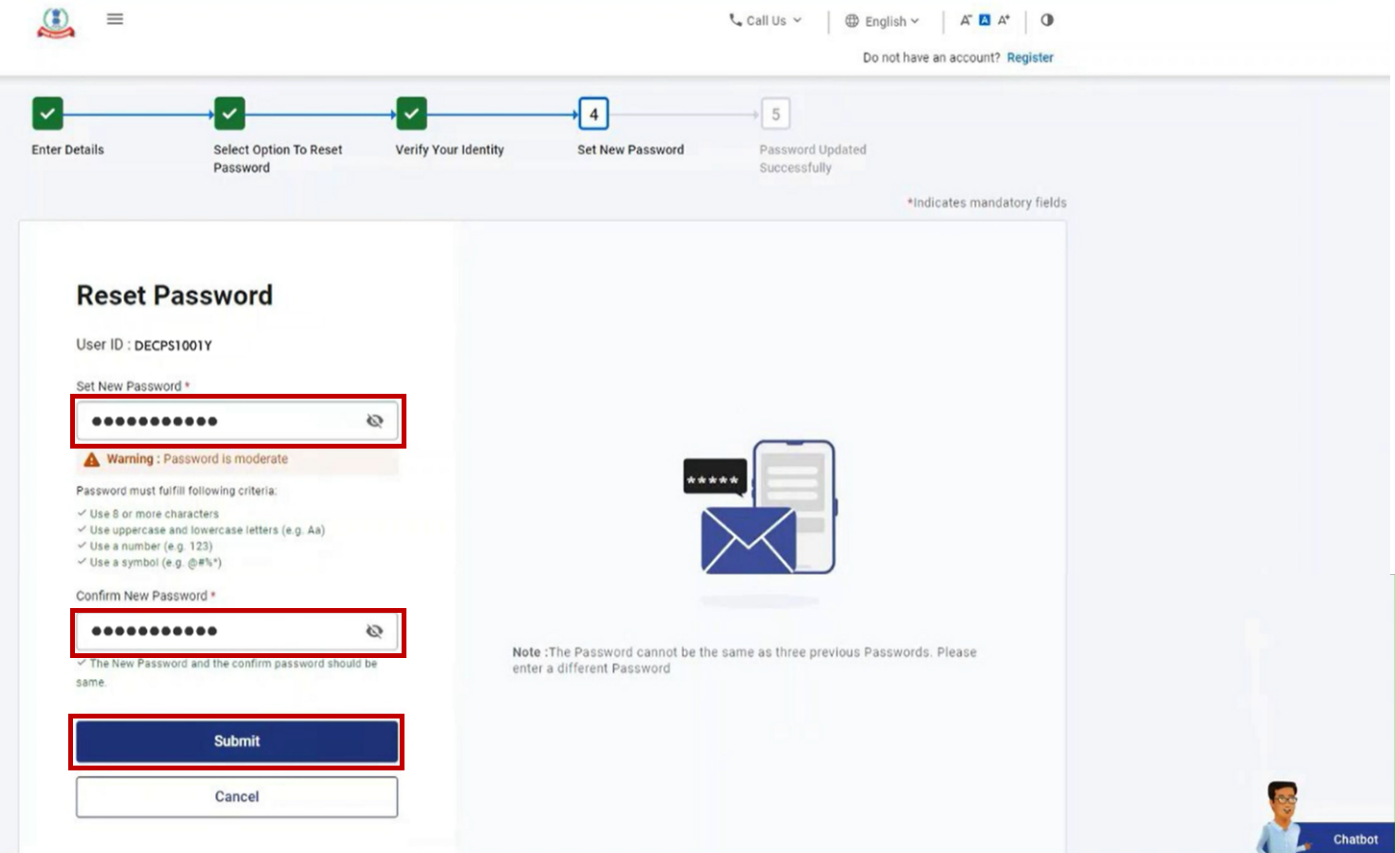
Set Your New Password
Enter your new password in both fields and click Submit. Avoid clicking Refresh or Back during this step.
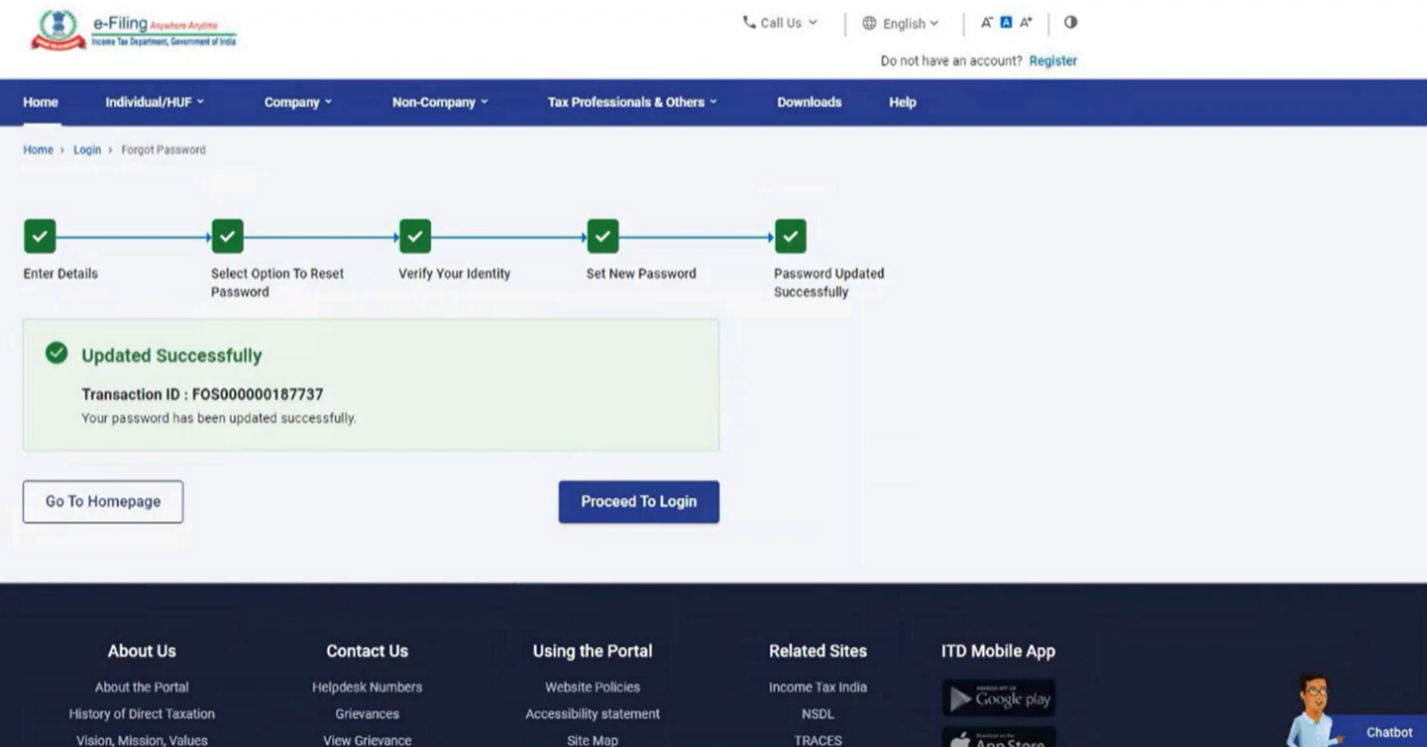
Done — Save Your Transaction ID
A success message confirms the reset, along with a Transaction ID. Keep a note of it in case you need to reference this reset later.
PAN not linked with Aadhaar, or don't have access to that mobile number? You can reset instead using an e-Filing OTP (sent to your registered mobile and email), a validated bank or demat account EVC, a Digital Signature Certificate, or Net Banking login — all available from the same "Select an Option to Reset Password" screen in Step 5.
Password Tips
- ✓ Mix uppercase and lowercase letters
- ✓ Include numbers
- ✓ Include special characters
- ✓ Never share your password with anyone, including anyone claiming to be from the department
Common Issues
Frequently Asked Questions
Can I reset my password without Aadhaar?
How long does password reset take?
What if I don't receive the OTP?
Still Unable to Access Your Account?
RefundBaba can help you with Income Tax Portal registration, account recovery, and ITR filing support.
Get Help on WhatsApp →